
Run your home from one place.
Your data stays home.
j8b connects to the Home Assistant in your house and brings your plugs, lights and sensors to one clear screen. You decide which devices reach the cloud — everything else stays home.
Set up in the time it takes to make coffee
No technical knowledge needed. If Home Assistant is running, the rest takes a few minutes.
Install the add-on
In Home Assistant open Settings → Add-ons → Add-on Store. Add the j8b repository under Repositories, pick j8b from the list, Install and Start. Leave "Start on boot" enabled.
Enter the code
Create an account in the app, tap Add home and give your home a name. An 8-character code appears on screen (valid for 15 minutes). Enter it in the add-on's Configuration tab and save. Within seconds your home shows up…
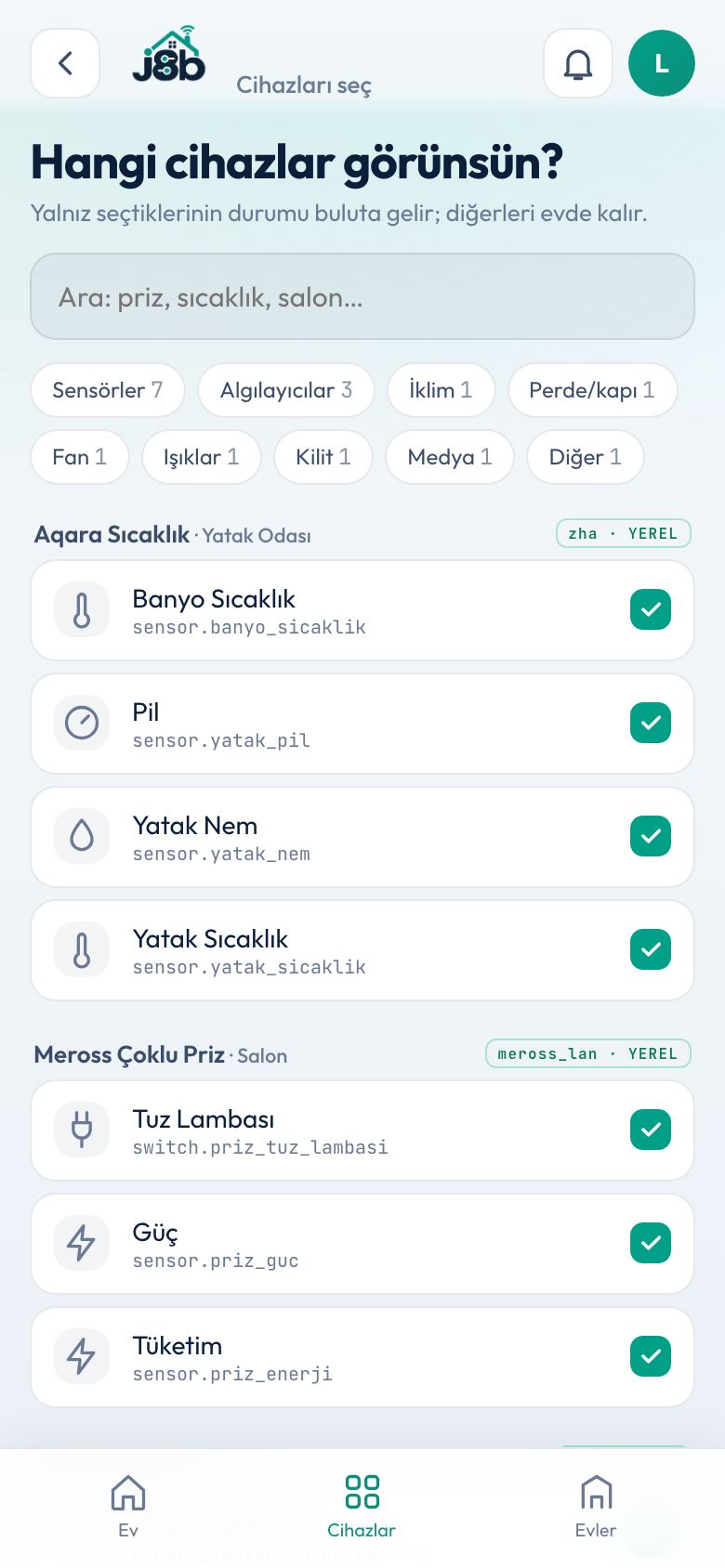
Choose your devices
The app lists every device in your home (names and types — not values). Tick the ones you want and save. Only the current state of the ticked devices reaches the cloud; the rest stays home.
A smart home that needs no engineering degree
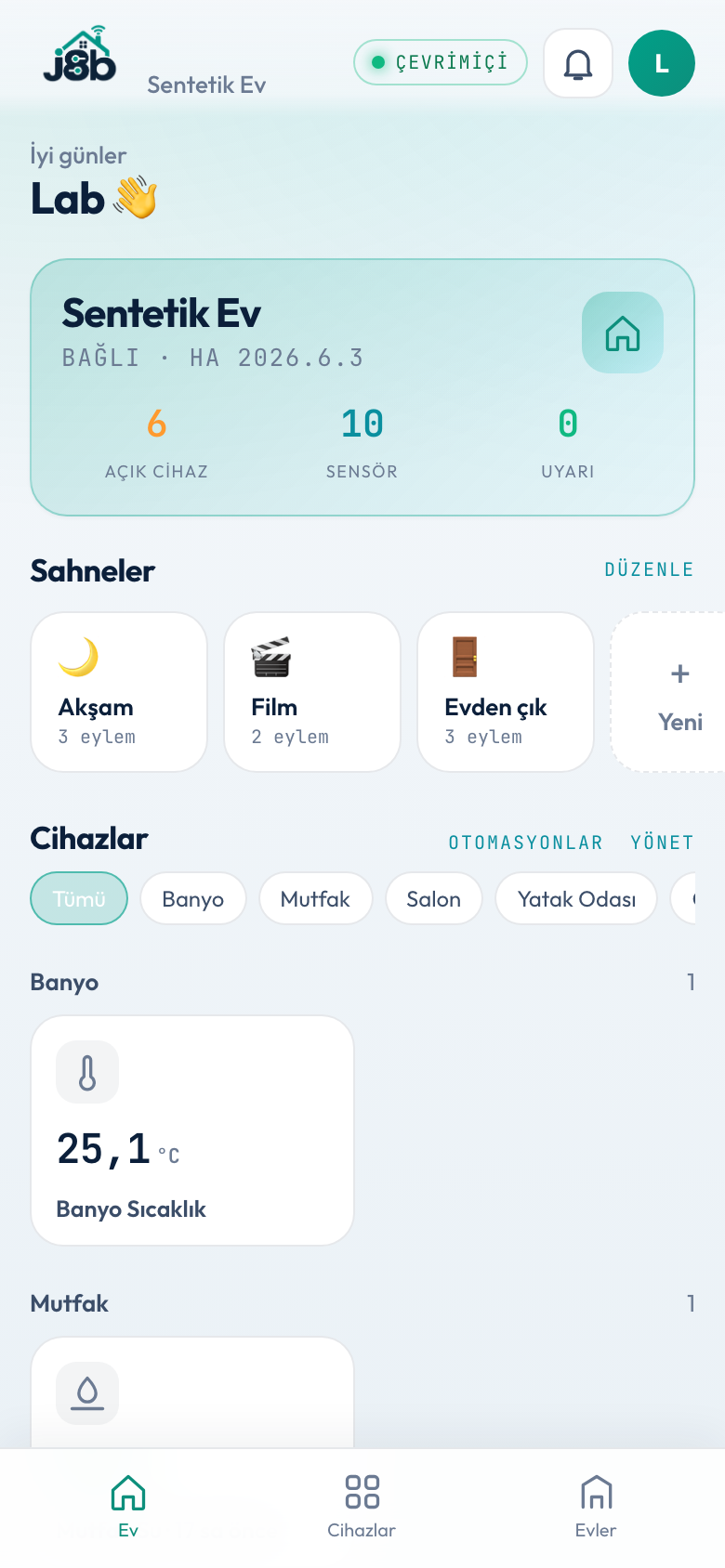
Home Assistant is powerful, but its interface is built for engineers. j8b turns it into a product your whole family can use.
Organised by room
The same areas as in Home Assistant: Living room, Kitchen, Kids' room. You find things without searching.
Instant response
The interface changes the moment you tap; if the device does not confirm, it reverts. You always know what happened.
Local / cloud badge
Next to every device: is it controlled from your home or through the vendor's cloud? You see what you are getting.
You choose
Expose only the ones you want out of hundreds of entities. Default: none.
Family and roles
Owner, admin, member, guest. Your child switches on the light, not the breaker.
Web and mobile
In the browser today; iOS and Android apps with the same account are on the way.
Raw data stays home.
Most smart home apps move all of your home's data to the vendor's servers. j8b does the opposite: only the current state of the devices you expose reaches the cloud — "living room plug is on", nothing more. History, sensor streams and who-was-home-when stay in the Home Assistant in your house.
- Your home connects outward; the cloud never connects in. No open ports, no shared IP.
- Every home has its own identity; one home cannot see a single value from another.
- No camera, no microphone, no image processing — by design.
- Remove a device from the list at any time: its last state in the cloud is deleted too.
Every device added to Home Assistant, in j8b
Questions on your mind
I don't have Home Assistant. Can I use it?
Does my home keep working if the internet goes down?
Where is my data kept?
What about devices connected through Tuya or a vendor cloud?
Is it paid?
Connect your home today
Create an account, install the add-on, switch on your first plug remotely. All in a few minutes.